
Introduction
In today’s fast-paced business world, managing external consultants is no longer a back-office task—it’s a strategic necessity. Consultant management system, CMS software, and external workforce management are now at the heart of operational efficiency and workforce optimization. Whether you’re a Fortune 500 giant or a nimble startup, the right CMS can transform your consultant workflow, streamline resource tracking, and centralize operations. Ready to unlock the secrets of modern consultant management? Let’s dive in!
What Is a Consultant Management System? (CMS)
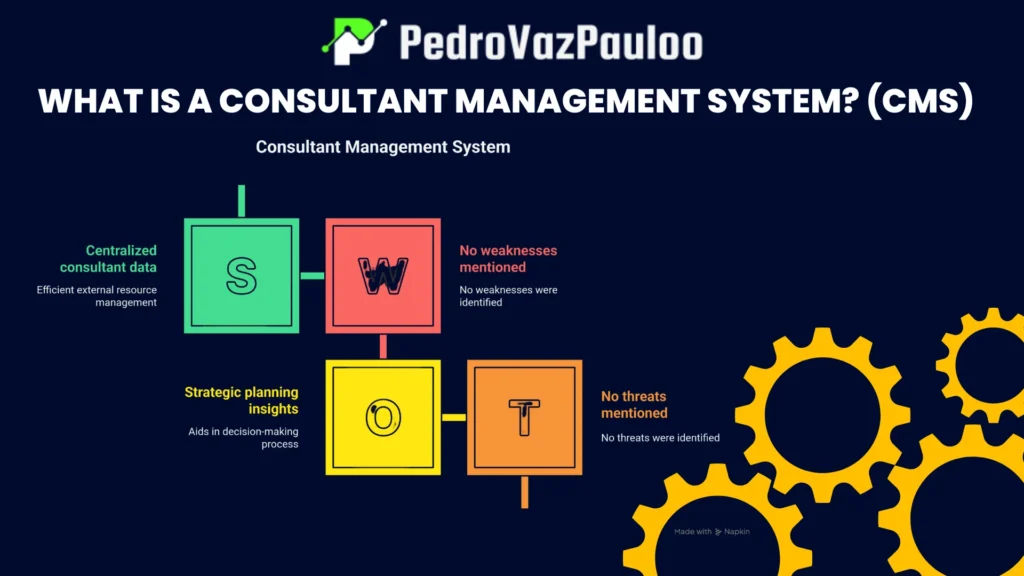
A Consultant Management System (CMS) is a specialized software platform designed to streamline every aspect of the consultant lifecycle. Imagine a digital command center where you can manage consultant onboarding, scheduling, performance tracking, compliance monitoring, and billing—all in one place.
How a CMS Centralizes Operations
A CMS acts as the nerve center for your consultant operations. It brings together consultant workflow, resource tracking, and external workforce management into a single, unified dashboard. This centralization means you can:
- Track consultant availability and assignments in real time
- Automate contract management and billing
- Monitor compliance and audit readiness
- Integrate seamlessly with ERP/HRMS systems
By consolidating these processes, a CMS eliminates silos, reduces manual errors, and gives you a bird’s-eye view of your entire consultant ecosystem. As the saying goes, “You can’t manage what you can’t measure”—and a CMS ensures you measure everything that matters.
Why Modern Businesses Need CMS
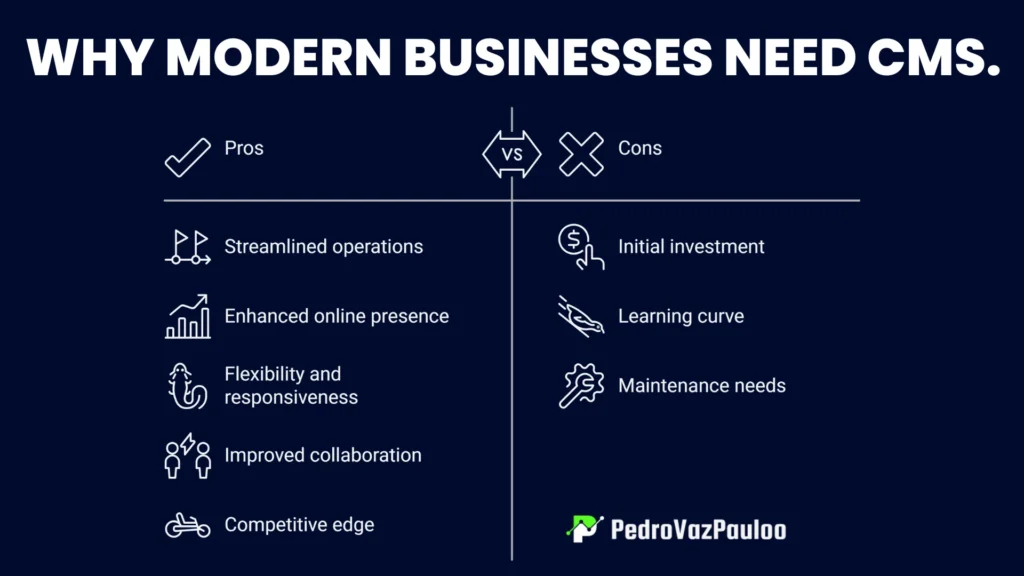
Modern businesses face mounting pressure to do more with less. Here’s why a consultant management system is no longer optional:
- Efficiency: Automate repetitive tasks, reduce paperwork, and accelerate consultant onboarding.
- Risk Control: Ensure compliance with regulations, reduce operational risks, and maintain audit-ready documentation.
- Productivity: Optimize resource allocation, track KPIs, and boost consultant performance.
Operational efficiency and workforce optimization are the twin engines driving today’s competitive edge. With a CMS, you’re not just keeping up—you’re staying ahead.
Who Uses Consultant Management Systems?
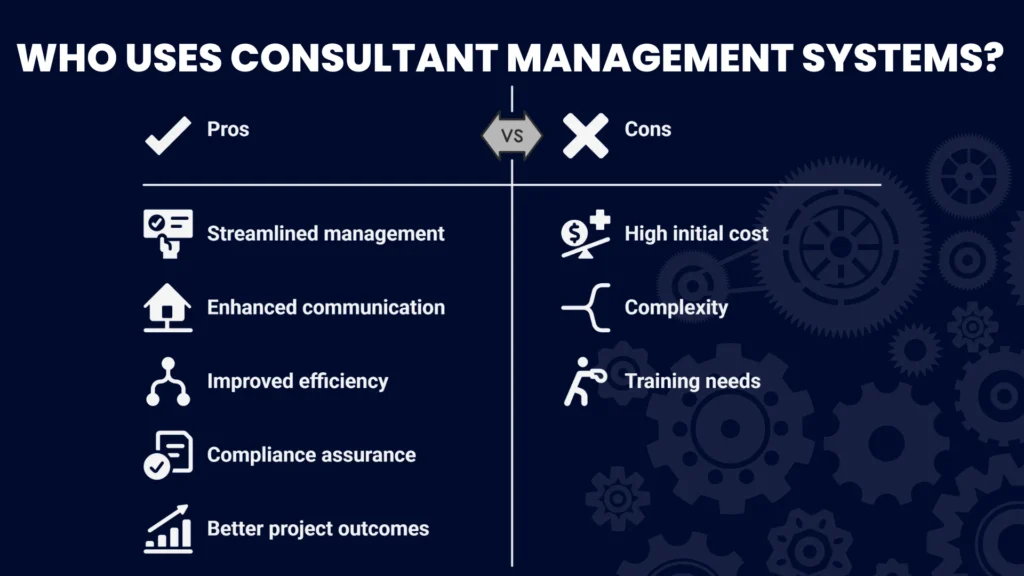
Consultant management systems aren’t just for consulting firms. They’re essential across industries:
- Pharma: Manage regulatory compliance and consultant credentialing.
- IT: Track project milestones and resource allocation.
- Finance: Ensure audit-ready compliance and billing accuracy.
- Consulting Firms: Streamline consultant onboarding and performance analytics.
From enterprise giants to SMBs and remote teams, any organization relying on external expertise can benefit from a robust CMS.
Core Features Every Consultant Management System Must Have
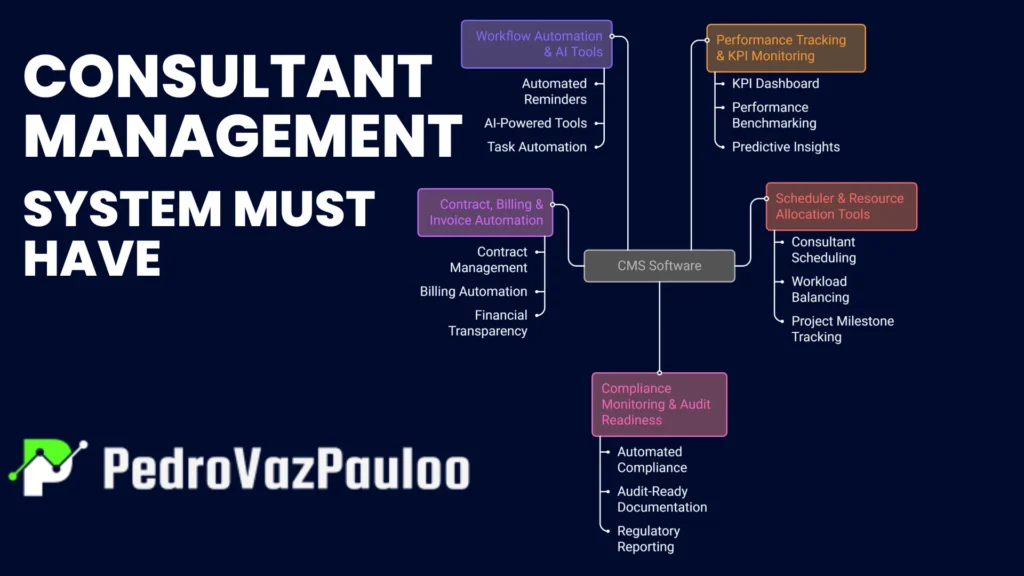
A top-tier CMS software should offer a comprehensive suite of features. Here’s what to look for:
Performance Tracking & KPI Monitoring
- KPI dashboard for real-time analytics
- Performance benchmarking and consultant evaluation
- Consultant performance analytics and predictive insights
Scheduler & Resource Allocation Tools
- Consultant scheduling and real-time availability tracking
- Workload balancing and resource utilization forecasting
- Project milestone tracking
Compliance Monitoring & Audit Readiness
- Automated compliance monitoring and alerts
- Audit-ready compliance documentation
- Regulatory reporting and ISO 9001 integration
Contract, Billing & Invoice Automation
- Contract management and digital signatures
- Consultant billing automation and invoice accuracy
- Financial transparency and expense tracking
Workflow Automation & AI Tools
- Automated reminders, approvals, and reporting
- AI-powered consultant tools for matching and scheduling
- Task automation and change management workflows
Benefits of Implementing a Consultant Management System
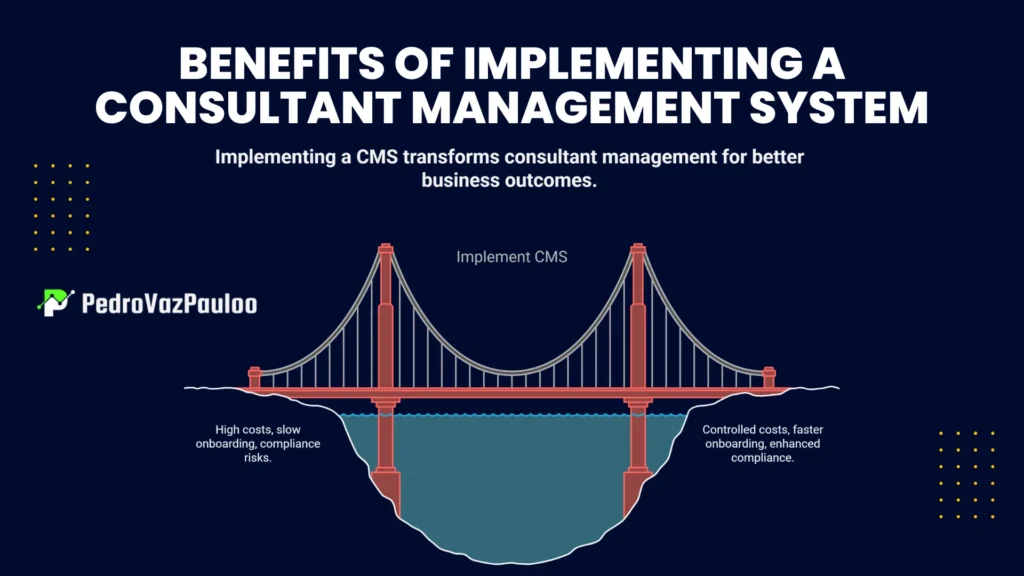
Implementing a consultant management system delivers tangible business value. Here’s how:
Cost Control & Budget Accuracy
A CMS provides real-time visibility into consultant spend, helping you control costs and improve budget accuracy.
Faster Onboarding & Ramp-Up
Automated onboarding workflows mean consultants hit the ground running—no more paperwork bottlenecks.
Enhanced Compliance & Risk Mitigation
Stay ahead of regulatory changes with automated compliance monitoring and audit-ready documentation.
Improved Communication & Collaboration
Centralized communication tools foster better collaboration between consultants, managers, and stakeholders.
Better Resource Utilization
Optimize consultant assignments and prevent burnout with intelligent workload balancing.
Easy Scalability for Growing Teams
Whether you’re adding five consultants or fifty, a CMS scales effortlessly to meet your needs.
Audit-Ready Documentation
Maintain a digital paper trail for every consultant, contract, and project—making audits a breeze.
Consultant Management System vs. Vendor Management System (VMS)
While both systems manage external resources, their focus differs:
- Consultant Management System (CMS): Manages the entire consultant lifecycle, from onboarding to performance tracking and compliance.
- Vendor Management System (VMS): Focuses on vendor coordination, procurement, and broader workforce management.
When Should You Use CMS?
Choose a CMS when you need end-to-end consultant lifecycle management, performance analytics, and compliance monitoring.
When Should You Use VMS?
Opt for a VMS when your priority is managing suppliers, contracts, and procurement processes across a wide range of vendors.
Implementing a Consultant Management System: Step-by-Step Guide
Ready to roll out a CMS? Follow these steps for a smooth transition:
Needs Assessment
Identify your organization’s unique requirements—think consultant volume, compliance needs, and integration points.
Stakeholder Buy-In
Engage key stakeholders early to ensure alignment and secure executive sponsorship.
Vendor Evaluation
Compare CMS vendors based on features, scalability, and industry expertise.
Pilot Testing
Run a pilot program to validate functionality and gather user feedback.
Training & Change Management
Invest in comprehensive training and change management workflows to drive adoption.
Data Migration & Integration
Migrate existing data and integrate the CMS with your ERP/HRMS systems for seamless operations.
Review, Optimize & Scale
Continuously review system performance, optimize workflows, and scale as your business grows.
Real-World Example: CMS in a Fortune 500 Company
Let’s paint a picture. A global pharmaceutical company implemented a leading consultant management system to manage its sprawling network of external experts. The results?
- ✔ Productivity increase: Automated scheduling and onboarding reduced project ramp-up time by 30%.
- ✔ Operational efficiency: Centralized dashboards enabled real-time resource allocation and workload balancing.
- ✔ Compliance improvements: Automated compliance monitoring ensured audit-ready documentation for every consultant.
- ✔ Resource optimization: Predictive analytics helped forecast demand and prevent consultant burnout.
- ✔ Decision-making analytics: Data-driven insights empowered leadership to make smarter, faster decisions.
As one executive put it, “A CMS doesn’t just manage consultants—it transforms how we do business.”
How CMS Drives Business Transformation
A modern consultant management system is more than a tool—it’s a catalyst for business transformation.
Enhancing Structure & Accountability
Clear workflows and performance tracking foster a culture of accountability and transparency.
Focused Execution for Projects
Automated scheduling and resource allocation keep projects on track and within scope.
Preventing Delays & Scope Creep
Real-time monitoring and alerts help prevent project delays and scope creep, ensuring timely delivery.
Achieving Sustainable Results Through CMS
Long-term success with a CMS goes beyond implementation.
Skill Development & Knowledge Transfer
Track consultant skills, facilitate training, and ensure knowledge transfer for future projects.
Embedding Best Practices
Standardize workflows and embed industry best practices across your consultant ecosystem.
Post-Transformation Review Model
Regularly review outcomes, gather feedback, and refine processes for continuous improvement.
Technology That Powers Modern CMS Platforms
Today’s CMS platforms harness cutting-edge technology to deliver maximum value.
AI for Forecasting, Matching, Scheduling
AI-powered consultant tools predict resource needs, match consultants to projects, and optimize schedules.
Blockchain for Secure Records
Blockchain ensures tamper-proof records for contracts, credentials, and compliance.
IoT & Wearables for Field Consultants
IoT devices and wearables enable real-time tracking and safety monitoring for field consultants.
Data Analytics for Decision Making
Advanced data analytics provide actionable insights for workforce optimization and strategic planning.
DevOps & Cloud for Scalability
Cloud-based CMS platforms offer scalability, reliability, and seamless integration with other business systems.
Popular Consultant Management Systems (Top Picks 2025)
Looking for the best CMS software? Here are the top picks for 2025:
| CMS Platform | Key Features | Best For |
| Workday | HRMS integration, analytics, mobile access | Enterprise, IT, Finance |
| Beeline | Vendor & consultant management, compliance | Large enterprises |
| SAP Fieldglass | Workforce optimization, global compliance | Pharma, Finance |
| Bullhorn | CRM + CMS integration, automation | Consulting firms |
| Kimble | Project tracking, resource allocation | SMBs, Consulting |
| Mavenlink | Project management, billing automation | Remote teams |
| Saviom | Resource forecasting, analytics | IT, Engineering |
| ProFinda | AI-powered matching, skill tracking | Large teams |
| TalentDesk.io | Onboarding, billing, compliance | Startups, Agencies |
| Zoho Projects | Task automation, time tracking | SMBs, Remote teams |
Features Comparison Table
| Feature | Workday | Beeline | SAP Fieldglass | Bullhorn | Kimble | Mavenlink | Saviom | ProFinda | TalentDesk.io | Zoho Projects |
| Consultant Scheduling | ✓ | ✓ | ✓ | ✓ | ✓ | ✓ | ✓ | ✓ | ✓ | ✓ |
| Performance Tracking | ✓ | ✓ | ✓ | ✓ | ✓ | ✓ | ✓ | ✓ | ✓ | ✓ |
| Compliance Monitoring | ✓ | ✓ | ✓ | ✓ | ✓ | ✓ | ✓ | ✓ | ✓ | ✓ |
| Billing Automation | ✓ | ✓ | ✓ | ✓ | ✓ | ✓ | ✓ | ✓ | ✓ | ✓ |
| AI Tools | ✓ | ✓ | ✓ | ✓ | ✓ | ✓ | ✓ | ✓ | ✓ | ✓ |
| Mobile Accessibility | ✓ | ✓ | ✓ | ✓ | ✓ | ✓ | ✓ | ✓ | ✓ | ✓ |
| ERP/HRMS Integration | ✓ | ✓ | ✓ | ✓ | ✓ | ✓ | ✓ | ✓ | ✓ | ✓ |
CMS for Pharma Industry (Industry-Specific Section)
Why Pharma Needs CMS
The pharmaceutical industry faces unique challenges—stringent regulations, complex projects, and a global consultant workforce. A pharma consultant management system ensures compliance, streamlines credentialing, and optimizes resource allocation.
Regulatory Compliance Requirements
Pharma companies must adhere to strict regulatory standards (FDA, EMA, ISO 9001). A CMS automates compliance monitoring, credential tracking, and audit-ready documentation.
Must-Have Pharma Modules
- Credential verification and license tracking
- Regulatory reporting and compliance alerts
- Project milestone tracking for clinical trials
- Integration with quality management systems
Selecting the Right CMS for Your Business
Choosing the right consultant management platform is a strategic decision. Here’s how to get it right:
Define Business Needs
Assess your consultant volume, compliance requirements, and integration needs.
Compare Features
Evaluate CMS platforms based on core features, scalability, and industry fit.
Assess Vendor Support
Look for vendors with strong support, training, and a proven track record.
ROI Analysis
Calculate the return on investment by considering cost savings, efficiency gains, and risk reduction.
Conclusion.
A consultant management system isn’t just a tool—it’s your secret weapon for business optimization, compliance, and growth. By centralizing operations, automating workflows, and providing actionable insights, a CMS empowers you to manage your external workforce with confidence. Ready to transform your consultant operations? Start your CMS journey today and share your experiences in the comments below and contact us!
“Efficiency is doing things right; effectiveness is doing the right things.” — Peter Drucker
Further Reading:
- What is a Vendor Management System? (VMS)
- ISO 9001 Quality Management
- Digital Transformation in Consulting
CMS FAQs
Q1. What is a Consultant Management System?
A Consultant Management System (CMS) is software that centralizes consultant onboarding, scheduling, performance tracking, compliance monitoring, and billing.
Q2. How does CMS improve business processes?
A CMS automates workflows, enhances compliance, and provides real-time analytics for better decision-making and operational efficiency.
Q3. Key features to look for in a CMS?
Look for consultant scheduling, performance tracking, compliance monitoring, billing automation, and AI-powered consultant tools
Q4. Can CMS support skill development?
Yes, modern CMS platforms track consultant skills, facilitate training, and support knowledge transfer.
Q5. How does CMS enhance decision-making?
By providing data analytics and predictive insights, a CMS empowers leaders to make informed, strategic decisions.
Q6. Is CMS suitable for small businesses?
Absolutely! Many CMS platforms are scalable and offer features tailored for SMBs and remote teams.
Q7. What is the ROI of using a CMS?
ROI includes cost savings, improved efficiency, reduced compliance risks, and better resource utilization.
Q8. How do I choose the right CMS?
Define your needs, compare features, assess vendor support, and conduct a thorough ROI analysis.





Leave a Reply